 trophycase.gg
 Log in with Twitch
Tutorials
Streamer.bot
Streamer.bot can award trophies from commands, channel point rewards, and other triggers. Your trophycase.gg account is linked to your Twitch account, and the recipient is identified by their Twitch username.
Choose Basic Award when an action always awards the same trophy. Choose Advanced Reusable Action when you want one shared action that can award any trophy.
Fastest setup
Open your trophy in Manage Trophies, then choose Streamer.bot under Award with a web request → Basic → Choose your bot. Copy the prepared value: your keys, trophy code, and username variable are already filled in. Follow the steps shown there. The manual instructions below are an alternative, not additional required steps. For an unmodified URL used by those manual instructions, choose Default / Manual Setup.
Before you begin
Streamer.bot's built-in Fetch URL sub-action only sends GET requests. Trophy awards require POST, so both methods use the wsgs.utils.curl utility action. Windows 10 and newer already include cURL; you only need to import the Streamer.bot action once.
1. Copy the cURL utility
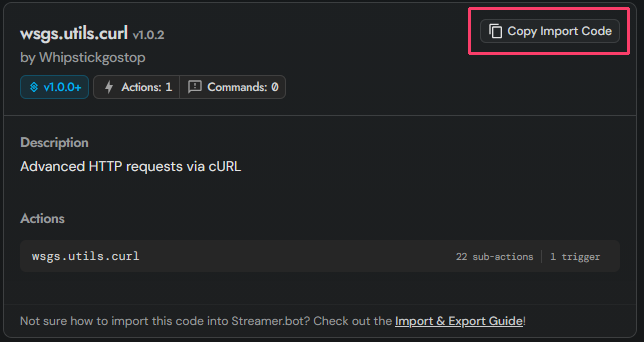
Open the Streamer.bot cURL utility page and select Copy Import Code.
2. Import it into Streamer.bot
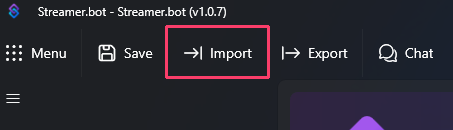
Select Import at the top of Streamer.bot. In the window that opens, paste the code you copied into the Import String box. Streamer.bot will then load the action details.
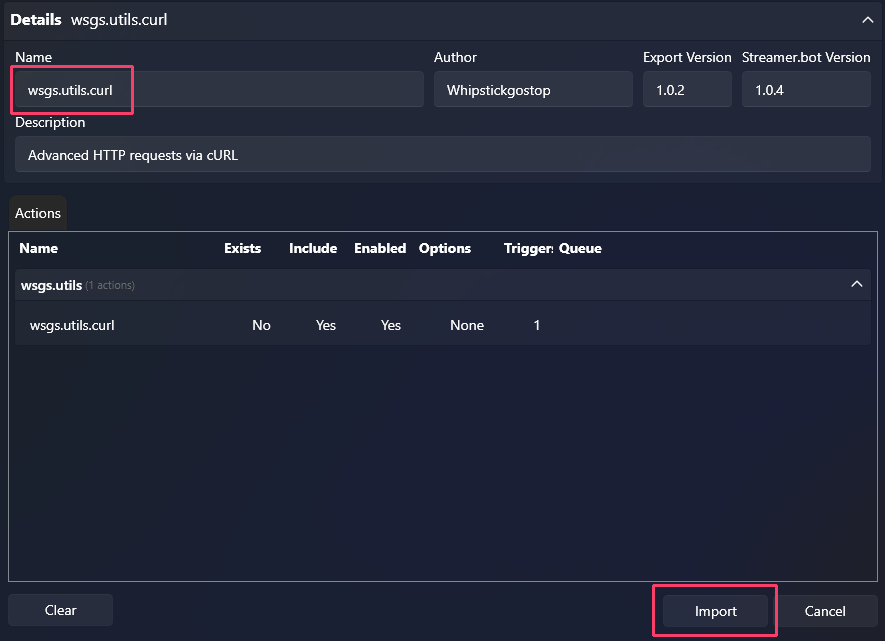
Confirm that the loaded import contains the wsgs.utils.curl action, then select the Import button at the bottom of the window.
Before testing, disable the logging sub-action inside wsgs.utils.curl. Request URLs and bodies contain your Award Secret; do not share action-history screenshots or exports containing it. The official utility guide describes this logging control.
Basic Award
Use this method when a trigger always awards one specific trophy.
1. Open or create an action
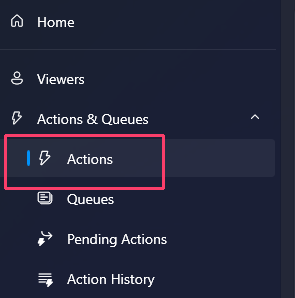
Go to Actions & Queues, then Actions. Open the action containing the command, event, or reward that should award the trophy, or create a new action and add the desired trigger.
2. Add the request arguments
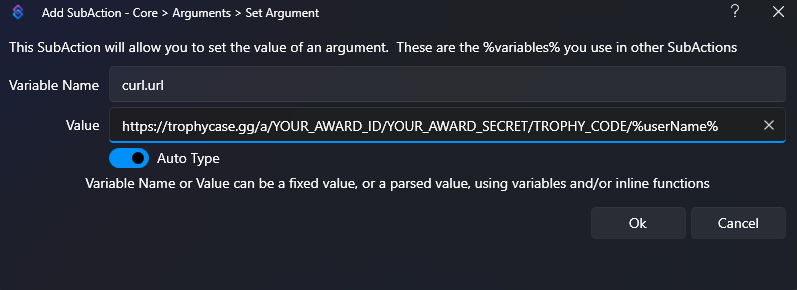
Add three Core → Arguments → Set Argument sub-actions. Leave Auto Type enabled.
| Variable Name | Value |
|---|---|
curl.method |
POST |
curl.url |
Your trophy's award URL with TWITCH_USERNAME replaced by %userName% |
curl.headers.accept |
application/json |
Copy the award URL from the trophy's Manage Trophies page. The completed curl.url value follows this format:
https://trophycase.gg/a/YOUR_AWARD_ID/YOUR_AWARD_SECRET/TROPHY_CODE/%userName%
3. Run the cURL action
Add Core → Actions → Run Action, select wsgs.utils.curl, and leave Run Action Immediately enabled.
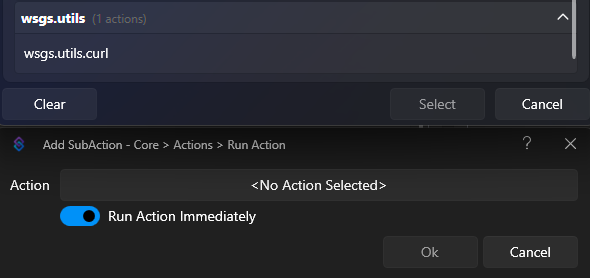
Save the action. When its trigger runs, %userName% is replaced with that user's Twitch username.
Advanced Reusable Action
Use this method to create one shared action that can award different trophies.
1. Create the reusable action
On the Actions page, create an action named trophycase.gg - Award Trophy. This action does not need its own trigger because your other actions will run it.
2. Add the request arguments
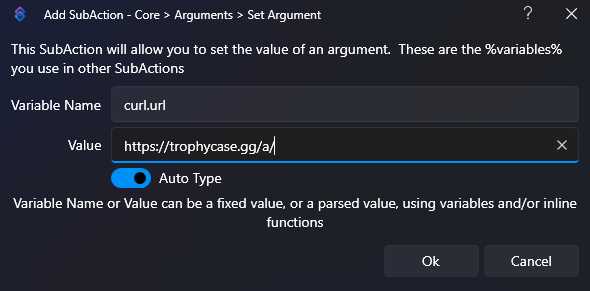
Add five Core → Arguments → Set Argument sub-actions. Leave Auto Type enabled.
| Variable Name | Value |
|---|---|
curl.method |
POST |
curl.url |
https://trophycase.gg/a/ |
curl.headers.accept |
application/json |
curl.headers.contentType |
application/json |
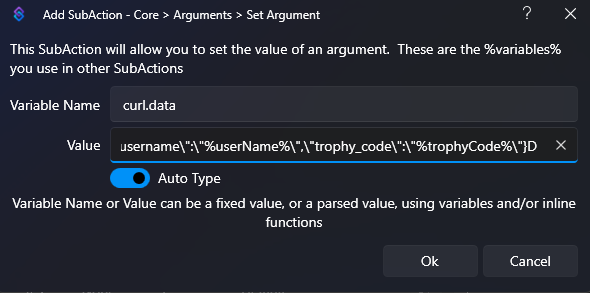
curl.data |
The JSON request shown below |
Use your Award ID and Award Secret from Settings in the curl.data value:
{\"award_id\":\"YOUR_AWARD_ID\",\"award_secret\":\"YOUR_AWARD_SECRET\",\"twitch_username\":\"%userName%\",\"trophy_code\":\"%trophyCode%\"}
Add Core → Actions → Run Action, select wsgs.utils.curl, and leave Run Action Immediately enabled. Save the reusable action.
3. Call the reusable action
Open the command, event, or reward that should award a trophy.
- Add Core → Arguments → Set Argument.
- Set Variable Name to
trophyCode. - Set Value to the code of the trophy this trigger should award.
- Add Core → Actions → Run Action.
- Select
trophycase.gg - Award Trophyand leave Run Action Immediately enabled.
The original trigger supplies %userName%, and the Set Argument sub-action supplies %trophyCode%. You can repeat these steps in any other action while keeping the web request in one place.
Checking the result
The cURL utility stores the HTTP status in %curl.responseCode% and the trophycase.gg JSON response in %curl.responseBody%. You can inspect both under Actions & Queues → Action History after testing the action.
See Award Responses for the possible award results.